

Introduction:
Smart Home Setup Checklist for Beginners! Smart homes are rising in popularity because they make everyday life easier, safer and more comfortable. Smart gadgets let you control appliances, door locks, lighting and security cameras with your smartphone.
Our beginners checklist will help you discover what you need before buying gadgets, how to select the best technology and how to establish a dependable smart home system step-by-step.
A simple set-up plan for beginners can help you build a smarter, more secure and more useful home.
Table of Contents
What is a Smart Home Setup Checklist Needed – Get the Fundamentals!
A smart home setup checklist provides a comprehensive guidance to home owners for selecting the right infrastructure and devices before installation.
Advantages:
avoid buying incompatible devices save money on unneeded devices improve automation performance simplify future upgrades increase reliability of the smart home network
If you don’t have a checklist, you’ll often lose money as a beginner on things that don’t work together.
How to Set Smart Home Goals Correctly – Set Goals!
Before you buy any equipment, determine what you want your smart home to do.
Common objectives are:
- Increase in Home Security
- Energy savings
- Voice control made easy
- Smart Lighting Automation
- Watching from a distance
- Improved comfort
Write your priorities down. That means you can focus on the products that deliver the most bang for your buck.
What Do Smart Home Devices Need from the Internet – Explore the Network!
A good internet connection is the foundation of any smart home.
Important requirements:
- reliable wi-fi coverage
- A modern router stable internet speed
- Robust password protection
- Dual-band router support
Weak Wi-Fi signals can cause devices to disconnect and lag. If you have a larger home consider Wi-Fi extenders.
Which is the best smart home ecosystem for beginners – Choose a Platform!
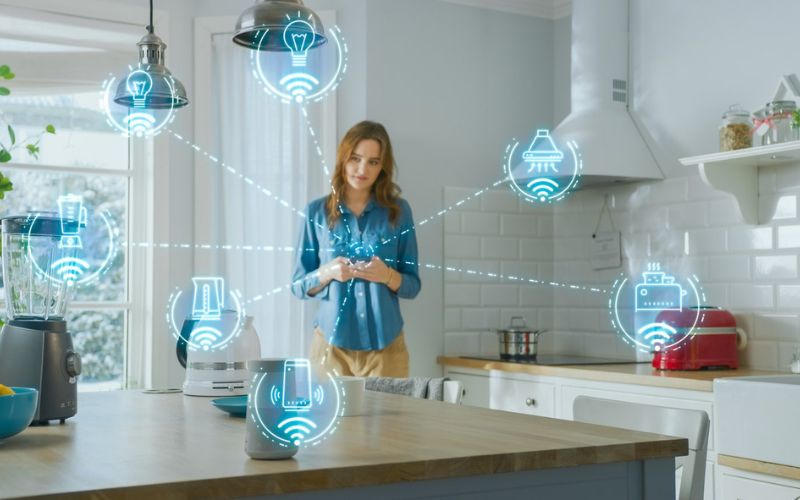
If you pick one ecosystem, you can ensure that your devices work together easily.
Familiar ecosystems include:
- Google Home
- Amazon Alexa
- Apple’s HomeKit
- When selecting a platform keep in mind:
- Compatibility with gadgets
- Usability
- Preferred voice assistants
- Automation possibilities
- Scope for further expansion
Usually, if you stay within one ecosystem, you have a better experience.
Which Crucial Devices Should First Be Added – Shop Essentials!
Before building a whole smart home, beginners should start with simple gadgets.
Voice Assistants:
Automation and voice commands are controlled via smart speakers.
Intelligent bulbs:
Smart lamps have remote control, scheduling and energy saving.
Smart Plugs:
Smart plugs make everyday things into smart devices.
Smart Cameras:
Security cameras allow you to see your residence from anywhere.
Smart Door Locks:
Smart locks offer keyless entry and enhanced security.
These products provide a good foundation to start building a smart home.
How to Create a Dependable Smart Home Network – Increase Stability!
Avoids connectivity concerns with a reliable network.
Key steps include:
- Place the router in a central location.
- Minimise interference
- Firmware needs regular updates
- Use strong passwords
- Guest networks (separate)
The network quality directly affects the performance of smart homes.
What is the best smart lighting for beginners – Intelligent Light!
Smart lighting is one of the easiest automation tasks.
Benefits include:
- Control at a distance
- Energy savings.
- Automated timetable
- Voice commands
- Light for mood
Think about putting smart lights in the living areas, bedrooms and foyers before you go all in on the property.
How Can Smart Devices Help Improve Home Security – Stay Safe!
Smart security equipment gives you peace of mind.
Suggest options:
- Doorbell Cameras
- Motion sensors
- Smart cameras
- Smart locks
- Sensors Windows.
These devices help in tracking activities and provide alerts straight to your phone.
What Equipment Do You Need For A Beginner Smart Home – Choose Devices!
Smart Wi-Fi switches:
Smart switches offer the convenience of controlling your lights without having to change your habits. You can control them using schedules, voice assistants and mobile apps. Many homeowners prefer smart switches because they work with existing light fixtures.
Bluetooth Smart Devices:
Bluetooth smart devices are often easy to install and require little setup. They’re great for automation projects in individual rooms and for smaller flats. Bluetooth gadgets are often relatively inexpensive and great to play with for beginners.
Smart Plugs:
Smart outlets allow users to remotely control appliances. You may set schedules, turn devices on and off and cut down on energy consumption. They work great for lamps, fans, coffee makers and other home appliances.
Smart Door Locks:
Smart door locks provide the added convenience and security. Many models include passcode, biometric entry, control through a mobile app and temporary guest access. They enhance the monitoring of entrance points into the house.
Smart Security Cameras:
With smart cameras, homeowners can keep an eye on their property in real time. Many cameras have motion detection, cloud storage, two-way audio and night vision. They are especially useful for protecting houses when the owners are away.
What common smart home mistakes can beginners avoid – Don’t Make Mistakes!
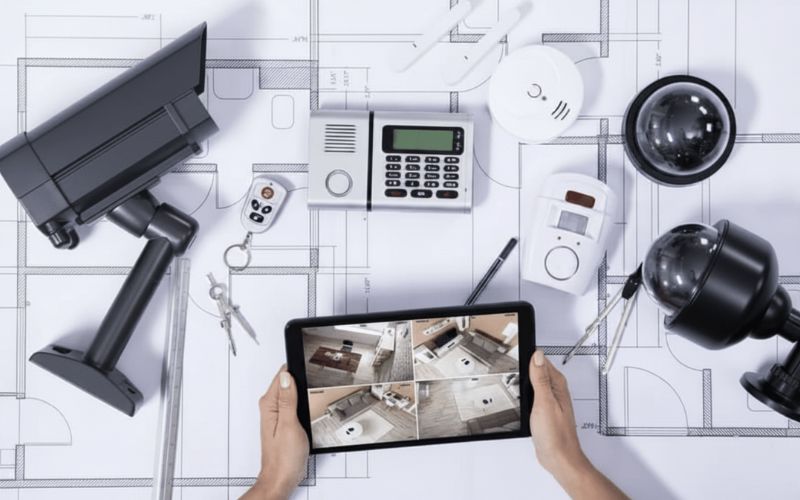
Buying unrelated devices:
Many beginners don’t consider compatibility while buying electronics, mostly on the basis of discount. This often leads to products that don’t talk to each other, limiting automation options and causing frustration.
No WIFI Coverage:
Bad Wi-Fi coverage causes malfunctioning automation, delays and disconnects. Test the signal strength across your home before you install smart gadgets.
Choosing Multiple Ecosystems:
Many ecosystems are difficult to set up and sustain. Typically, a single platform is more reliable and offers a smooth experience.
Ignore security settings:
Security Risks Default passwords and outdated firmware. Always use strong passwords and install updates regularly to protect your smart home network.
Too Big Beginnings:
Some beginners will buy a few devices at the same time. Start with a few critical items and learn the basics of automation before you build up your system.
How to create routines for smart home automation – Automate Everything Daily!
Automation techniques make things easy and save time.
Examples include:
- At dusk lights come on.
- Cameras that switch on when you go out the door
- Doors that lock automatically
- Routines for getting up in the morning
- Schedules for saving energy
Automation enables devices to perform in concert without requiring human interaction.
What Should You Expect From Future Upgrades – Grow Easily!
A smart house should be able to grow with time.
Potential upgrades in the future include:
- Smart home thermostats
- Smart window coverings
- Smart irrigation system
- Smart entertainment systems
- More security features
Planning for growth can avoid expensive replacements down the road.
Frequently Asked Questions:
1. What is the best smart device to buy for beginners?
Smart plugs or bulbs are typically the easiest to install. They are cheap and simple to use and make for an excellent start to smart home automation.
2. Do you need a hub for a smart home?
Not always. Many modern devices link directly to each other with Bluetooth or Wi-Fi. Some advanced systems could benefit from a dedicated hub to boost automation.
3. How much does smart home tech cost?
No, beginners can begin with a few moderately priced devices and gradually grow their system according to their expectations and budget, without having to spend a lot of money.
4. Which smart home ecosystem is best for beginners?
Apple HomeKit, Google Home and Amazon Alexa are all friendly to newbies. The best choice will depend on your selected devices and voice assistant.
5. What can I do to make my smart home more secure?
Use strong passwords, two-factor authentication, regularly update your firmware, and use equipment from trusted vendors to keep your system secure.”
Conclusion:
You don’t need to break the bank or strain your brain to make your house smart. A smart home setup checklist for beginners may help you pick the right gadgets, build a strong network, and create useful automations to make your house more comfortable, secure, and energy-saving. Start small, keep your goals in focus, and gradually grow your smart home for the best long-term outcome.




Leave a Reply